
What Is a Blockchain Explorer and How Does It Work

A blockchain explorer is a searchable interface over a chain's indexed blocks, transactions, and addresses. Paste a Bitcoin or Ethereum transaction hash into it, and you can confirm whether the transfer landed, failed, or is still waiting to be finalized.
If you've ever stared at a wallet screen that says “sent” while the other side says “not received,” this is the tool that settles the argument with on-chain evidence. It turns raw ledger entries into something you can read without running your own node or decoding hexadecimal by hand.
Table of Contents
- A Plain-English Answer to What a Blockchain Explorer Is
- How a Blockchain Explorer Reads and Decodes On-Chain Data
- Using a Blockchain Explorer Step by Step
- Comparing Popular Blockchain Explorers Across Major Chains
- Developer and Analyst Use Cases for Blockchain Explorers
- What a Blockchain Explorer Cannot Tell You About a Wallet
- Practical Checklist, FAQs, and Where to Go Next
A Plain-English Answer to What a Blockchain Explorer Is
A blockchain explorer is the browser-based tool people use to look up what happened on-chain. Instead of treating the blockchain like a black box, it gives you pages for blocks, transactions, addresses, and contracts, so you can verify activity directly from public data. A strong example is the moment you paste a transaction hash into Etherscan or Blockchain.com and see whether a transfer went through, which is why guides like what is a blockchain explorer are useful for first-time readers.
The simplest way to think about it is this. Your wallet signs and broadcasts transactions, while the explorer only observes and displays what already got recorded. That distinction matters because the wallet tells you what you tried to do, but the explorer shows what the network accepted.
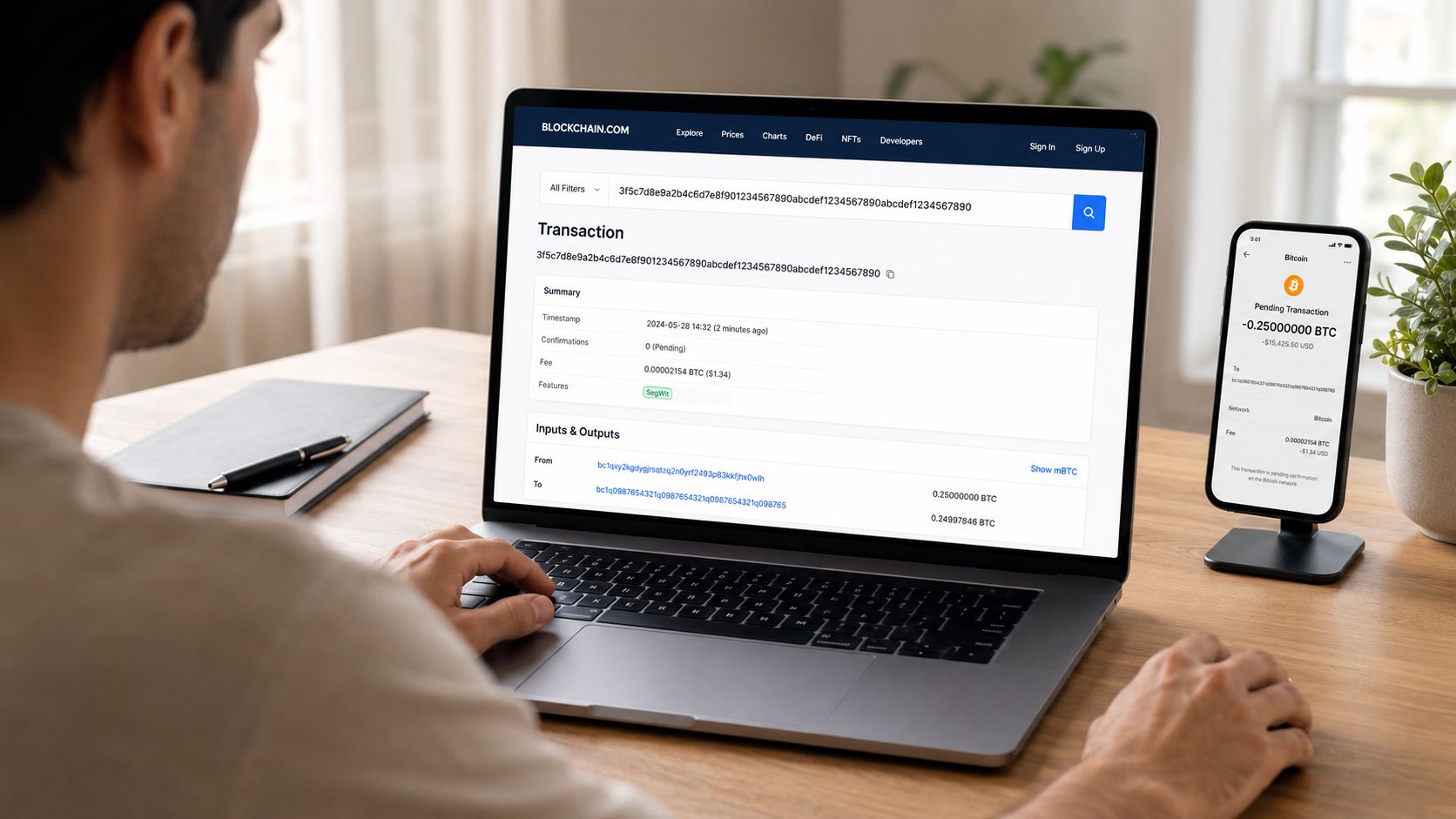
For new users, the most useful move is to stop trusting a single interface. Exchange withdrawals, wallet notifications, and even app balances can lag or confuse the picture. An explorer gives you the chain's public record, which is why it's the right place to check before you assume a transfer is missing.
If you want the broader foundation underneath that idea, the basics of blockchain structure are covered well in this introduction to blockchain technology.
Practical rule: if a wallet says “sent,” the explorer is where you confirm whether the chain has actually accepted the transaction.
How a Blockchain Explorer Reads and Decodes On-Chain Data
A blockchain explorer works less like a search box and more like a library catalog built on top of millions of public ledger entries. It doesn't read the chain the way a human would. It listens to confirmed blocks from a node or node cluster, then sorts that raw data into indexed tables so you can search by hash, height, address, or contract address instead of scanning the whole chain yourself source.
That indexing step is the invention. Without it, looking for one transfer would mean replaying the chain block by block on your own machine, which is not how people want to verify a payment in real life. Explorers exist because raw blockchain data is public, but it isn't optimized for interactive lookup source.
From node to readable page
The pipeline usually has three layers. First, a full node receives confirmed blocks. Second, an indexer extracts and organizes fields like block hash, transaction hash, sender, receiver, and logs into a queryable database. Third, the web interface formats that data into readable transaction pages, address histories, and token views.
For Bitcoin, the index can also include witness data and transaction scripts, while Ethereum explorers often rely on the chain's JSON-RPC interface to retrieve structured block and transaction data in a standard format source source. That's why a page can show block positions, execution details, and decoded call data without you having to parse raw bytes.
Terms that matter when you read explorer pages
You'll see a few recurring fields. Block height tells you where a block sits in the chain. Confirmations show how many blocks have been added after it. Mempool means the transaction is still waiting to be included. Event logs are the records smart contracts emit when they do something useful, like transfer tokens or mint an NFT.
Raw chain data is public, but it's not user-friendly. Explorers exist to turn public ledger entries into something you can search, filter, and inspect in seconds.
For a deeper look at the contract side of this workflow, this smart contract guide helps explain why decoded function calls matter so much on EVM chains.
Using a Blockchain Explorer Step by Step
Start with the one thing that proves the transaction exists, the transaction hash. Wallets and exchanges usually label it as TXID, transaction ID, or tx hash. Copy that string exactly, then open the explorer for the right network, for example Etherscan for Ethereum or Blockchain.com Explorer for Bitcoin.
What to read first on the result page
The first fields worth checking are the ones that answer the practical question, “Did it go through?”
- Status: look for success, failure, or pending.
- Block height: confirms which block included the transaction.
- From and to: shows the sending and receiving addresses.
- Value transferred: tells you how much moved.
- Gas used: shows how much computation the transaction consumed on Ethereum-style networks.
- Confirmations: tells you how deep the transaction sits in the chain.
Once you've checked the transaction itself, click the sender or receiver address. That takes you to a full history page, which is useful when you want to see whether an address is active, empty, newly created, or holding other tokens. On EVM chains, this is also where you can spot token movements that aren't obvious from the wallet app alone source.
Here's the part many users misunderstand. A transaction can be visible on the explorer before it feels final in a wallet app. That's because the network still has to build more blocks on top of it. Confirmations matter, and a transaction in the mempool is not settled yet.
After you've checked the explorer page, compare the result with the wallet receipt or exchange withdrawal history. If the hashes match, you're looking at the right record. If they don't, you're probably checking the wrong network or copied the wrong string.
A short walkthrough video can help if the fields feel crowded at first.
For a safety-focused refresher on avoiding bad links and fake interfaces, this guide to crypto scam avoidance is worth keeping nearby.
Comparing Popular Blockchain Explorers Across Major Chains
A blockchain explorer is only useful if it matches the chain and the question you are asking. Someone checking Bitcoin fees and pending transactions needs different tools from an Ethereum user reading verified contract code or token transfers. Chain coverage, decoding depth, and address labeling matter more than a polished interface.
A quick comparison table
| Explorer | Primary Chain(s) | Notable Features | API Access |
|---|---|---|---|
| Blockchain.com Explorer | Bitcoin and some other assets | Simple block, transaction, and address lookup, broad mainstream familiarity | Available |
| Mempool.space | Bitcoin | Mempool view, fee tracking, transaction queue visibility | Available |
| Etherscan | Ethereum and EVM networks | Contract verification, token history, decoded logs, address pages | Available |
| Blockchair | Multiple chains | Multi-chain lookup, broad search coverage, useful for cross-checking | Available |
| OKLink | Multiple chains | Multi-chain views, live network data, broad coverage | Available |
| Solscan | Solana | Solana transaction and token tracking, chain-specific display | Available |
Multi-chain explorers help users who move between ecosystems, but they do not replace the chain's own reference tool. If a transaction matters, check it on a second explorer and compare the results. That extra pass helps when a label looks off or when a Layer 2 or bridge route makes a single interface confusing.
Explorer choice also matters in markets where people watch chain activity closely, including discussions around prediction market regulation and liquidity (exploring prediction market regulation and liquidity).
A clean interface will not explain everything. It can still make verification faster, which is often the practical win.
Practical rule: start with the explorer closest to the chain's reference ecosystem, then cross-check on a second tool if the transaction is important.
Developer and Analyst Use Cases for Blockchain Explorers
Developers use explorers as a lightweight debugging console. If a contract is verified, the explorer can show the source code, ABI, and read/write interfaces, which lets a reader inspect what the deployed bytecode is supposed to do in plain language. On EVM chains, that's often the first place someone checks when a swap, mint, or bridge transaction behaves strangely.
Analysts lean on explorers for the same reason, but they care more about patterns than single events. A token transfer trail can show how assets moved from a treasury wallet into a swap contract and then out to a recipient address. That's useful when you're following ERC-20, ERC-721, or ERC-1155 activity and trying to understand where value went.
Typical workflows that save time
A few examples come up again and again.
- Contract verification: confirm that the deployed code matches the published source before trusting the address.
- Event-log review: inspect emitted events to see state changes that a wallet UI might hide.
- Internal transaction tracing: follow funds through intermediate contracts during swaps or DeFi interactions.
- Large-holder filtering: spot concentration, treasury behavior, or unusual inflows.
- Fresh-contract monitoring: watch the first inbound transfer to a newly deployed address.
The concrete value here is speed. A developer can catch a reverted call without digging through a custom debugger, and an analyst can export table data for off-chain modeling without building a full indexer from scratch. Free explorer tiers are often enough for that kind of spot work, while heavier production pipelines usually need an RPC provider or a dedicated indexing stack like The Graph.
Explorers don't replace infrastructure, though. They're the quick readout. When you need repeatable queries at scale, you move up the stack.
What a Blockchain Explorer Cannot Tell You About a Wallet
A blockchain explorer shows public ledger entries, not real-world identity. An address is a cryptographic string, not a passport, and the page attached to it does not prove who controls the private key behind it. That gap is why explorer data is useful for verification but weak as proof of ownership.
It also can't tell you intent. A transfer might be a payment, a test, a refund, a bridge action, or part of a complex DeFi route. The explorer sees movement, fees, and timing, but it can't read the human reason behind the transaction.
Where interpretation gets risky
Crowd-sourced labels are helpful, but they're still labels. If an explorer says something looks like a “Binance Hot Wallet,” that's a clue, not courtroom evidence. The same goes for spammed or hijacked labels, which can mislead users who treat interface text as fact.
This is why unusual transaction patterns matter more than a polished label. Repeated hops, mixer usage, or sudden interactions with contracts you don't recognize can be more informative than a name tag attached to an address. Explorers reveal evidence of movement, but they don't prove legal control, identity, or motive.
Treat the explorer as a public record viewer, not as a real-world identity verifier.
Practical Checklist, FAQs, and Where to Go Next
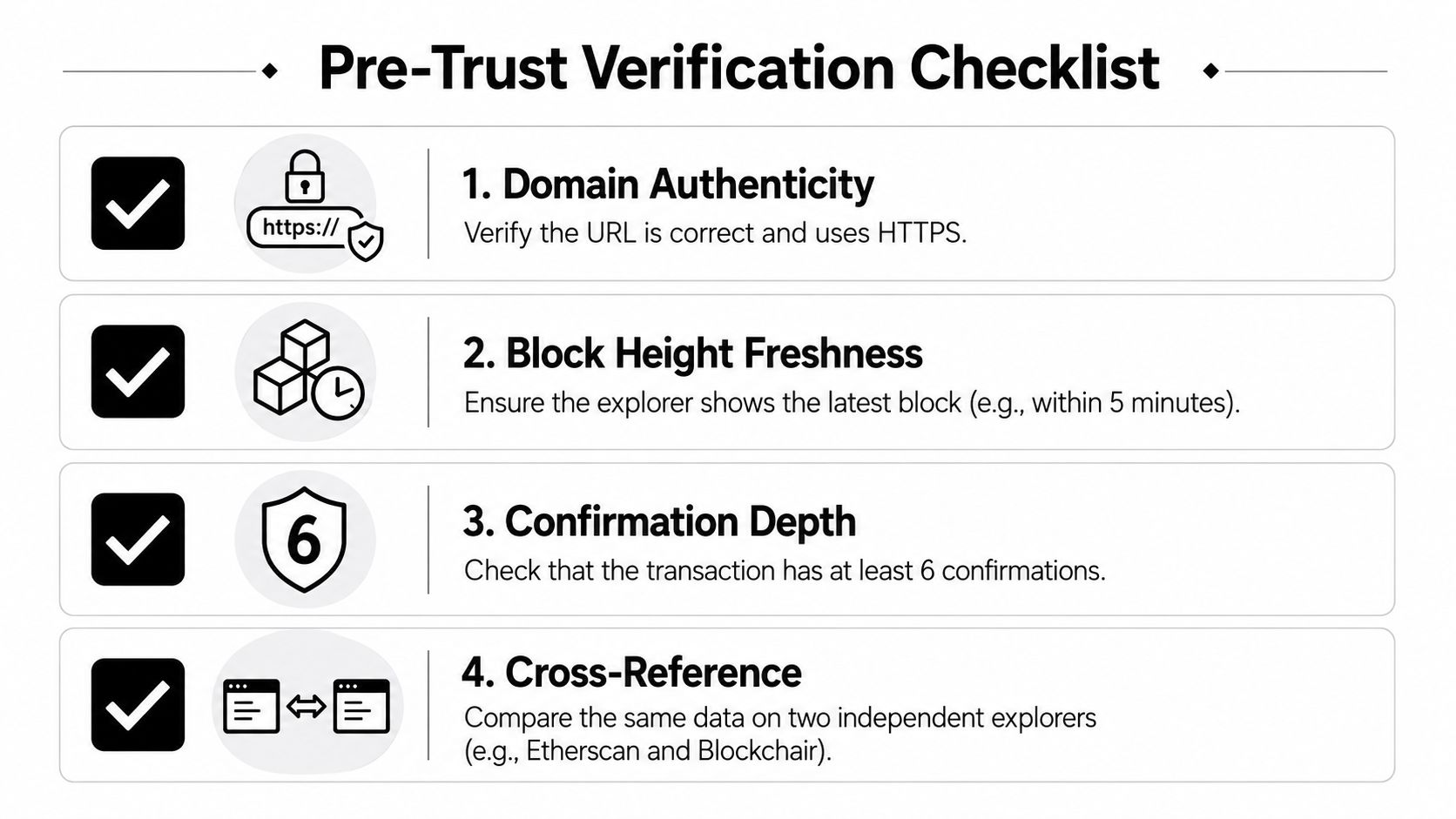
Before you trust an explorer page, do four quick checks. First, verify the domain authenticity and make sure you're on the HTTPS site. Second, compare the block height freshness with a known recent block so you know the data isn't stale. Third, check the confirmation depth and wait for enough blocks before treating the transfer as final. Fourth, cross-reference the same hash or address on a second explorer if the amount is important.
FAQs that still trip people up
- How do I read a transaction hash? It's the unique identifier for one specific transfer, and you paste it into the search bar of the correct chain explorer.
- Are blockchain explorers free? The core lookup features on major explorers are generally free to use.
- How do I spot a phishing explorer site? Check the URL carefully, use HTTPS, and avoid clicking links from messages or emails.
- Do deleted or pending transactions appear? Pending transactions can appear before confirmation, while the explorer only shows what the chain has recorded.
- Which explorer is best for a multi-chain portfolio? A multi-chain tool is convenient, but chain-specific explorers are still better for deep verification.
For next steps, bookmark the official docs for the chains you use, then learn the basics of the explorers that matter most to you, especially Ethereum and Bitcoin. If you often check status during volatile market moves, keep at least one block-height widget handy so you can sanity-check freshness quickly.
Coiner Blog publishes clear, practical crypto education for readers who want to understand tools like blockchain explorers without the hype. If you want more guides on Bitcoin, Ethereum, Web3, DeFi, Layer 2 networks, tokenomics, and real-world crypto use cases, visit Coiner Blog and keep learning with the next article.